

Vehicle Maintenance
Exploring the 2013 Buick Encore: What Are the Most Common Problems?

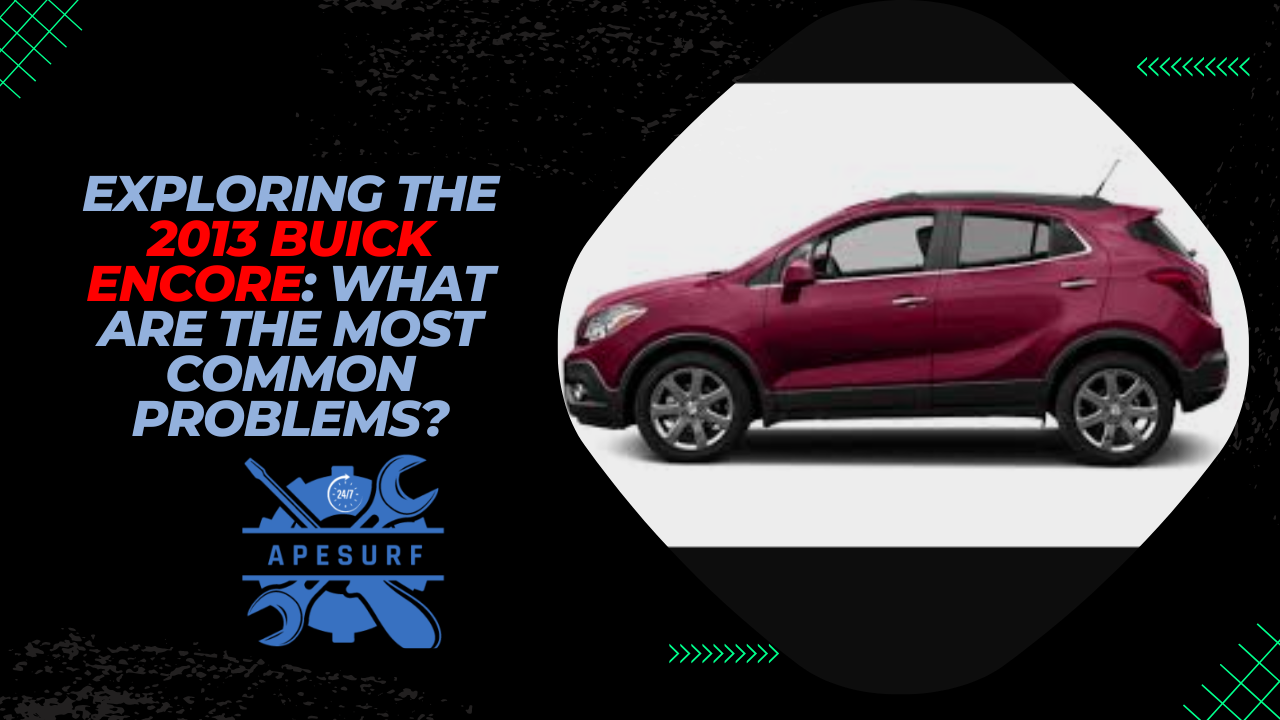
In this article, we will explore the 2013 Buick Encore, a compact luxury crossover SUV that was introduced by the American automaker as a stylish and efficient option for urban commuters. We will take a closer look at some of the most common problems that owners may encounter with this vehicle, as well as potential solutions to address these issues. Whether you’re considering purchasing a used Buick Encore or already own one, this guide will provide you with valuable insights into maintaining and troubleshooting this popular model.
What are the most common issues with the 2013 Buick Encore?
One common problem that has been reported by Buick Encore owners is a fault with the transmission. Owners have complained of issues such as rough shifting, slipping gears, and even complete transmission failure in some cases. These issues can be costly to repair and may require replacement of the entire transmission system. To avoid transmission problems, it is recommended to ensure that the transmission fluid is changed regularly and that the transmission is inspected for any signs of wear or damage.
Another common issue with the 2013 Buick Encore is related to the engine. Some owners have reported issues with the engine stalling or misfiring, which can be caused by a variety of factors such as faulty spark plugs, a clogged fuel filter, or a malfunctioning fuel pump. To address engine issues, it is important to perform regular maintenance checks, including changing the spark plugs and air filter as recommended by the manufacturer.
How can I address electrical problems in the Buick Encore?
Electrical issues are another common problem that Buick Encore owners may encounter. Some owners have reported problems with the power windows, door locks, and infotainment system, which can be frustrating and inconvenient. Electrical problems can be caused by a variety of factors such as faulty wiring, blown fuses, or a malfunctioning battery. To address electrical issues, it is recommended to check the fuses, inspect the wiring for any signs of damage, and test the battery to ensure it is functioning properly.
In addition to the issues mentioned above, some Buick Encore owners have also experienced problems with the air conditioning system. Some owners have reported issues such as the air conditioning not blowing cold air, strange odors coming from the vents, or the air conditioning system not working at all. These issues can be caused by a variety of factors such as a refrigerant leak, a faulty compressor, or a clogged air filter. To address air conditioning problems, it is recommended to have the system inspected by a qualified technician to diagnose and repair any issues.
What steps can I take to prevent common problems with the 2013 Buick Encore?
To prevent common problems with the 2013 Buick Encore, it is important to perform regular maintenance checks and address any potential issues before they escalate. This includes following the manufacturer’s recommended maintenance schedule, which may include oil changes, tire rotations, brake inspections, and other routine services. Additionally, it is important to address any warning signs or unusual noises that may indicate a problem with the vehicle. By staying proactive and addressing issues promptly, you can help prolong the lifespan of your Buick Encore and avoid costly repairs in the future.
Conclusion
In conclusion, the 2013 Buick Encore is a stylish and efficient compact luxury crossover SUV that offers a comfortable and enjoyable driving experience for urban commuters. However, like any vehicle, the Buick Encore may experience common problems that owners should be aware of. By understanding these issues and taking proactive steps to address them, you can ensure that your Buick Encore remains in top condition for years to come.
Frequently Asked Questions (FAQs)
1. What is the fuel efficiency of the 2013 Buick Encore?
The 2013 Buick Encore offers good fuel efficiency for a compact SUV, with an EPA-estimated 25 mpg in the city and 33 mpg on the highway.
2. Is the 2013 Buick Encore a reliable vehicle?
While the 2013 Buick Encore has received positive reviews for its comfort and style, some owners have reported common problems such as transmission issues, engine problems, and electrical issues.
3. How much does it cost to repair common problems with the 2013 Buick Encore?
The cost of repairing common problems with the 2013 Buick Encore can vary depending on the specific issue and the extent of the damage. It is recommended to obtain a quote from a qualified technician before proceeding with repairs.
4. How can I maintain my 2013 Buick Encore to prevent common problems?
To prevent common problems with the 2013 Buick Encore, it is important to follow the manufacturer’s recommended maintenance schedule, perform regular inspections, and address any warning signs or unusual noises promptly.
5. Are there any recalls for the 2013 Buick Encore?
It is recommended to check with the National Highway Traffic Safety Administration (NHTSA) website or contact a Buick dealership to inquire about any recalls or safety notices for the 2013 Buick Encore.
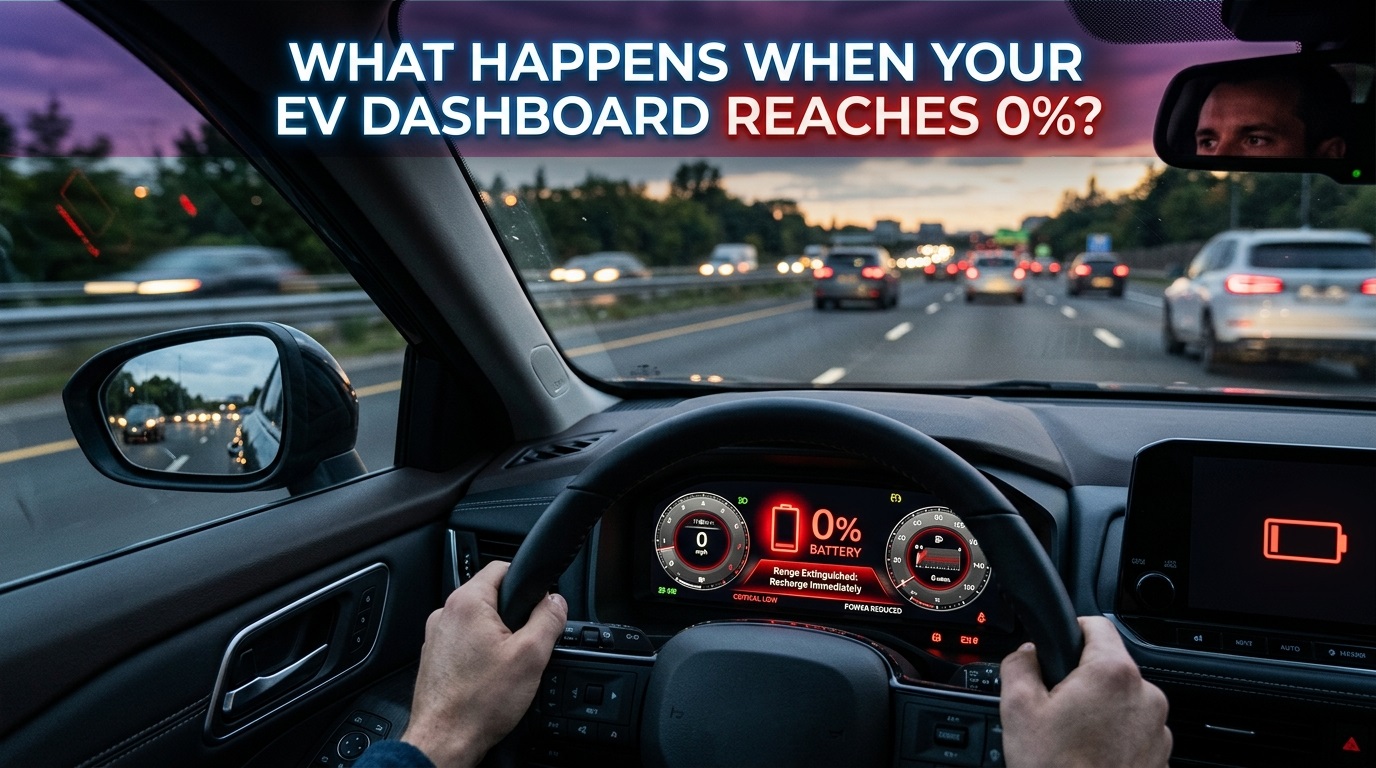
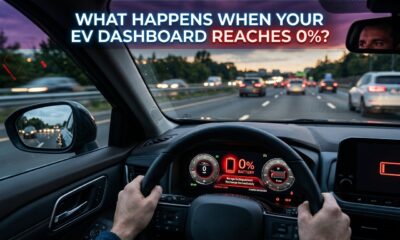
When an electric vehicle display reaches 0%, the car is near the end of its usable driving range, but that number does not tell the whole story. The battery management system protects the pack as charge falls, reducing available power and eventually shutting propulsion down to prevent deeper battery discharge.
For an EV driver, seeing 0% can feel like running a gas tank completely dry. There is an important difference: the percentage shown on the dashboard is a managed estimate, and the vehicle is designed to control the battery before the cells reach harmful operating conditions. The exact response varies by model, battery chemistry, software, temperature, and driving conditions.
That is why 1% should already be treated as an emergency planning point. At 0%, some vehicles may appear to move briefly, while others can reduce power sharply or stop propulsion. Manufacturers generally tell drivers to charge as soon as possible and not rely on displayed zero for extra range. Tesla specifically warns owners not to assume any range remains when the display reaches 0%.
We Drove an EV to 0% and Here’s What Happened | Battery Warnings & Roadside Help
What does 0% actually mean in an EV?
The percentage on an EV dashboard is not simply a raw reading from one battery cell. A battery management system monitors values such as voltage, current, temperature, and state of charge, then controls how the high-voltage battery can charge and discharge. Modern systems are designed to keep the pack within safe operating limits.
So, “0%” should generally be understood as the bottom of the vehicle’s usable operating window, not as proof that every cell has reached absolute physical zero. The protective margin is not standardized across all EVs, and one brand’s behavior at 0% may differ from another’s.
That also explains why the last few percentage points can feel different. As available energy falls, software can limit power to reduce stress and preserve electrical stability. Hyundai’s current owner documentation, for example, says some models begin limiting power below specified low-charge thresholds, with the threshold varying by battery configuration.
The practical takeaway is simple: 0% means the vehicle has reached the end of the range intended for normal driving.
What happens to the car as the battery gets very low?
The first major change may be reduced performance rather than an instant shutdown.
When the state of charge becomes very low, the vehicle can limit motor output. Acceleration may become weaker, and climbing a hill can become difficult. Hyundai warns that when its power-down indicator is illuminated, the vehicle may not properly climb an incline and can even roll back on a slope.
Accessories can also become part of the energy-saving strategy. Ford’s Mustang Mach-E owner’s manual says that at a low state of charge the vehicle could begin disabling accessory features to preserve battery life, and instructs owners to recharge as soon as the vehicle reaches 0%.
Heating, air conditioning, headlights, high speeds, hard acceleration, hills, and cold weather can make the remaining usable energy disappear faster. A vehicle that still feels manageable at low charge on a flat road can behave very differently under a heavy load.
There is therefore no universal “extra range” after the battery warning. The vehicle decides how much power remains available based on its own software and operating conditions.
Can an EV still drive after showing 0%?
Sometimes, but that should never be treated as guaranteed reserve range.
The displayed percentage is an estimate generated by the vehicle’s battery-management system, while actual available performance depends on temperature, battery condition, power demand, terrain, speed, and other factors. A particular EV may move briefly after reaching 0%, but another model may stop sooner.
Manufacturer instructions are more reliable than reports that a certain EV traveled a few extra miles after zero. Hyundai’s current manuals tell drivers not to try to drive when the battery level is 0%, but to move to a safe place and call for help. Tesla similarly warns drivers not to assume any range remains at 0%.
The final margin can also disappear quickly because of a steep hill, cold battery, headwind, traffic, or climate-control use. In an emergency, trying to prove that reserve exists is not a useful strategy.
What happens when the EV finally stops?
Once the vehicle reaches the limits of usable energy, the motor can no longer provide propulsion. The priority is to get the car somewhere safe and arrange charging or recovery.
EVs also have a low-voltage electrical system that supports important electronics. A complete run-out can affect that system as well as the high-voltage battery.
Tesla documents this clearly for the Model 3. After the vehicle runs out of range, its low-voltage battery may no longer be supported. In that situation, the vehicle cannot begin charging the high-voltage battery until the low-voltage system is externally supported. Tesla’s recovery procedure can therefore involve towing the vehicle to a charger and supporting the low-voltage system before charging starts.
That is a Tesla-specific example, not a rule for every EV. The correct procedure depends on the manufacturer and model, so roadside assistance instructions and the owner’s manual should take priority.
The bigger lesson is that an EV that has completely stopped may require more than simply plugging in a cable.
I Drove a Tesla Past 0%… It Wouldn’t Die
Does reaching 0% damage the EV battery?
Reaching 0% once does not automatically mean the high-voltage battery is ruined. EV battery systems are built with controls that manage voltage, temperature, and discharge limits. The greater concern is prolonged or repeated operation at extremely low charge, especially leaving a fully depleted vehicle unplugged.
The U.S. Department of Energy notes that EV batteries have a finite cycle life and gradually wear with use.
Manufacturers can provide more model-specific warnings. Tesla says allowing its vehicles to discharge to 0% can result in damage to components such as the low-voltage battery. It also warns that leaving a vehicle around 0% for an extended period can make recovery more difficult and may cause permanent battery damage in some circumstances.
| Battery situation | Practical meaning |
|---|---|
| Low-battery warning | Find a charger soon |
| Power limited | Reduce load and charge immediately |
| 0% displayed | Do not count on extra range |
| Vehicle stops | Move to safety and arrange recovery |
| Left depleted for a long time | Risk of low-voltage or battery problems increases |
The exact thresholds vary by vehicle, so the owner’s manual remains the final reference.
Why can the last few percent disappear so quickly?
The final percentage is not always a perfectly linear countdown.
State-of-charge estimates are affected by how the battery is being used and by conditions around it. A driver traveling gently on a flat road may get a different result from someone climbing a hill with the heater running. Temperature can also change available power and energy use.
That is why the estimated range is not a promise. Tesla warns that remaining range can fall faster than projected because of temperature, driving habits, wind, vehicle settings, and other conditions. Hyundai also says distance-to-empty can vary with driving style and temperature.
Two EVs showing the same 5% can therefore have different real-world performance. The percentage is useful, but it should be considered alongside the range estimate, battery temperature, terrain, weather, and charging availability.
How should drivers respond when the battery is almost empty?
Treat the low-battery warning as a signal to change your plan, not as a challenge to test the car’s reserve.
As soon as the battery gets low, head toward a reliable charger and reduce unnecessary energy use. Smooth acceleration, sensible speed, and reasonable climate-control settings can reduce consumption. Hyundai specifically recommends efficient driving and limiting unnecessary electrical loads when range is low.
If the display reaches 0%, stop relying on the estimated reserve. If the vehicle is still moving, find a safe place to stop. If it has already stopped, follow the emergency procedure for that vehicle and arrange roadside assistance or charging support.
It is also useful to know your EV’s recovery requirements before you need them. Some vehicles have special towing procedures or low-voltage recovery steps. The Tesla example shows why a completely depleted EV may require a specific recovery process rather than a simple tow and plug-in.
The best habit is simple: do not make 0% your target. Leave enough energy for traffic, detours, weather, charging queues, and unexpected delays.
What should you remember about an EV at 0%?
An EV reaching 0% is not necessarily the same as every cell instantly becoming completely empty. The battery management system controls the final stage of discharge, and the vehicle may limit power or other functions before propulsion finally stops. The exact behavior depends on the make and model.
For drivers, the important point is that any remaining margin is not dependable range. Once the battery is very low, charge as soon as practical. At 0%, focus on safety and recovery rather than trying to squeeze out another mile.
Repeatedly driving into the shutdown zone or leaving an EV fully depleted for an extended period can also create avoidable battery and low-voltage-system problems.
The simplest rule is also the most useful: 0% is a warning boundary, not a fuel-saving trick.
FAQ
What happens if an EV reaches 0% on a highway?
If propulsion becomes unavailable, the vehicle can slow and stop. Move toward a safe location as early as possible, follow the vehicle’s emergency instructions, and arrange roadside assistance or charging support. Do not assume your EV will continue simply because another model reportedly drove after reaching 0%.
Is there still some battery power left at 0%?
There may be energy remaining in the pack, but the amount that can be safely used by the driver is not universal. The displayed percentage is managed by the vehicle’s battery system, and manufacturers set their own operating limits. Treat 0% as the end of usable driving range.
Can an EV be recharged immediately after it stops?
Often yes, but the recovery procedure depends on the vehicle. Some EVs can connect to a charger normally, while others may require low-voltage support after a complete run-out. Tesla documents such a procedure for the Model 3 and Model Y. Follow the specific owner’s manual and roadside guidance for your EV.
Does driving to 0% reduce battery life?
Repeatedly reaching extremely low charge and leaving the vehicle depleted for long periods can create additional battery and low-voltage-system risks. Batteries also age through normal use. Manufacturers therefore generally recommend avoiding prolonged periods near 0% rather than treating the bottom of the battery as a preferred stopping point.
Should you trust an EV’s remaining-range estimate?
Use it as an estimate, not a guarantee. Temperature, speed, driving style, wind, terrain, climate control, battery condition, and vehicle settings can all change the actual distance remaining. When the battery is low, plan around a reliable charging option instead of trying to use every last displayed mile.
Related Articles :
15 Things Automated Car Features You May Not Know Your Vehicle
10 THINGS YOU DIDN’T KNOW YOUR BYD COULD DO
EV battery 0 percent, what happens when EV reaches 0%, EV battery depletion, electric vehicle battery range, EV battery management system, EV low battery warning, EV power limited, EV stranded with dead battery, electric car battery empty, EV range anxiety, EV charging after 0%, EV battery reserve, EV battery health, EV battery care, EV emergency charging, electric car roadside assistance, EV battery state of charge, EV battery safety, EV ownership tips, electric vehicle maintenance
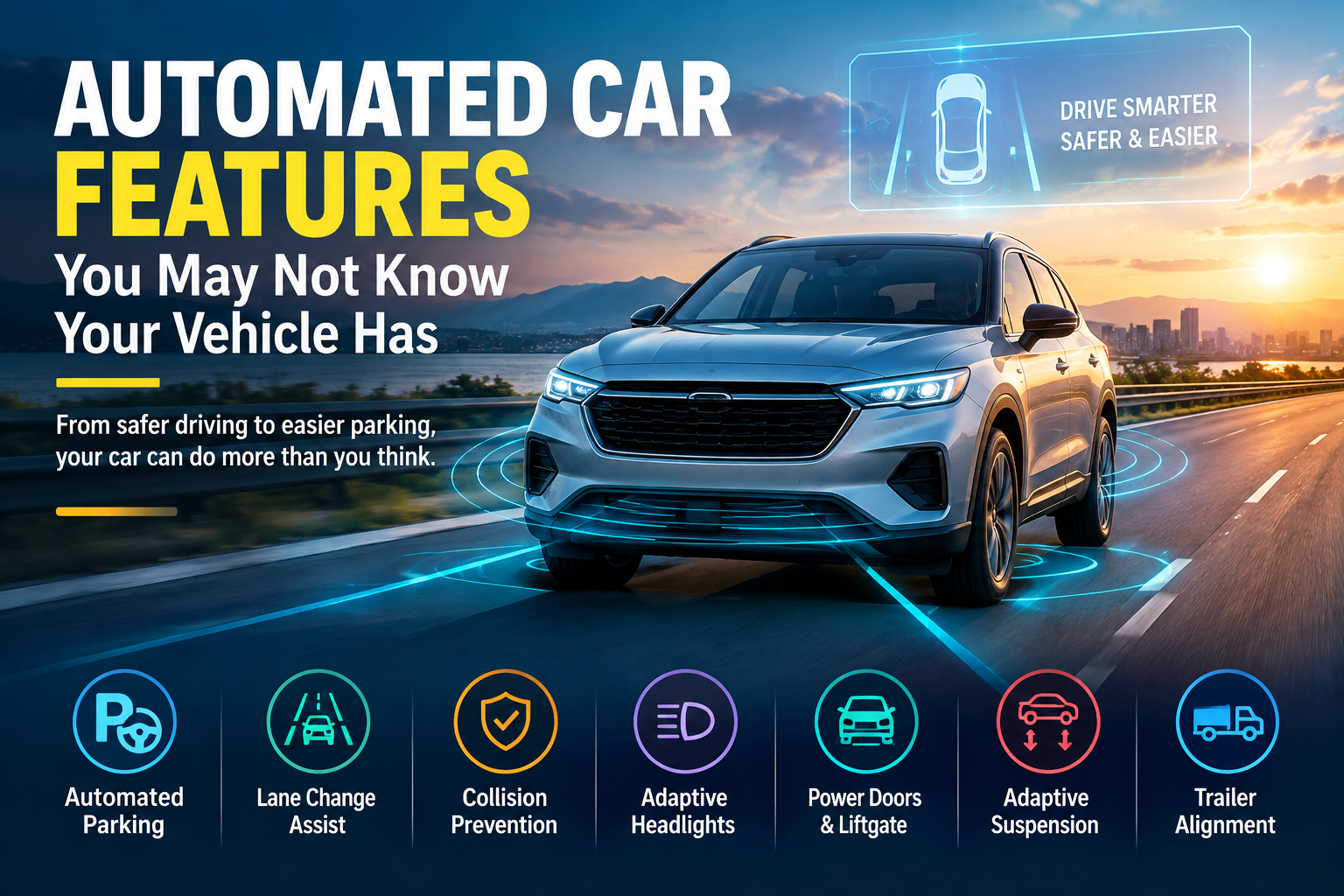
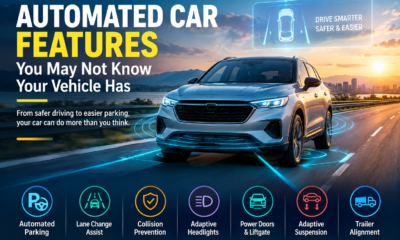
Modern vehicles can do far more than start, stop, and move from one place to another. In this article, we look at automated features that can make parking easier, improve safety, adjust the ride, protect passengers, and even help with trailer alignment. Some of these features may already be hiding in your car.
How much of the driving can your car actually automate?
Today’s vehicles can automatically handle many tasks that once required constant driver input. Advanced driver assistance systems, often called ADAS, are designed to automate specific parts of driving for safety, convenience, or both. Some features have become familiar, while others remain surprisingly easy to overlook.
Automatic high beams and lane keeping assistance are examples many drivers already recognize. But newer systems can go considerably further. Depending on the vehicle, automated technology can help with highway driving, steering, braking, parking, lane changes, and collision avoidance.
Hands free highway driving is one of the more advanced examples. Systems such as Ford BlueCruise and GM Super Cruise can control steering and braking on supported highways while allowing the driver to drive hands free. However, the driver still needs to remain available to take control quickly. Tesla’s Full Self Driving (Supervised) system also operates on many surface streets.
The important point is that these technologies do not simply turn a normal car into a completely autonomous vehicle. They automate specific functions under particular conditions, while the driver remains responsible for the vehicle.
Self-Driving Car Comparison Test: Tesla vs. BMW vs. Ford vs. GM | Hands-Free Driving Test
Can your car park itself without you turning the wheel?
Automated parking has been available for years, but many drivers may not realize how much the technology can actually do. Using cameras, sensors, and other systems, some vehicles can help steer the car into a parking space.
The technology can be especially useful for drivers who find parallel parking difficult. Some systems can search for a suitable parking space while the vehicle slowly moves along a street. Depending on the system, automated parking can also handle straight on parking.
Remote parking takes the idea a step further. Certain vehicles allow the driver to exit the car and then control the parking process using a key fob or smartphone app. This can be useful when a parking space is so tight that getting out of the vehicle would be difficult.
According to MotorTrend, Tesla pioneered this type of feature with Summon mode, while similar technology is also available from manufacturers including BMW, Hyundai, and Genesis. Some systems can even move the vehicle toward the driver after it has been parked.
Can your vehicle change lanes by itself?
Automatic lane changes can work alongside certain hands free highway driving systems. When the system determines that there is enough space and the maneuver is safe, it can change lanes automatically.
In some vehicles, the driver can activate the maneuver using the turn signal. Other systems can initiate a lane change under specific conditions. MotorTrend highlights BMW’s Highway Assistant with Active Lane Change, which can initiate a lane change after the driver glances toward one of the sideview mirrors.
These technologies show how modern driver assistance is moving beyond simply keeping a vehicle centered in its lane. The vehicle can combine information from its sensors with steering and braking functions to perform more complicated driving tasks.
However, these systems remain driver assistance technologies. The driver must still be prepared to take control. That distinction is important because automated steering or lane changing does not remove the need for driver attention.
How can your car automatically react to a possible crash?
Some automated safety systems are designed to react when a collision may be about to happen. Forward collision warning with automatic emergency braking is one example.
The system uses cameras and other sensors to detect a potential collision. It can warn the driver, and if the warning is not acted upon, the vehicle can automatically apply the brakes. MotorTrend notes that this technology is now mandated on all new light duty passenger vehicles in the United States.
Other systems can help in more specific situations. Intersection turning assist can detect vehicles approaching from the side at intersections. On some vehicles, the system can alert the driver and automatically apply the brakes to help prevent a collision.
Evasive steering assist is another technology that can intervene in an emergency. Instead of simply braking, the system can take over steering to maneuver the vehicle around an object.
These features demonstrate how automation can operate during situations where a driver’s reaction time may be limited.
What happens when someone opens a car door into traffic?
A vehicle’s safety technology can also protect people before the car even starts moving. Safe Exit Assist is designed to monitor the area behind a vehicle for approaching vehicles or cyclists.
If the system detects a potential collision, it can alert occupants before they open a door. In some cases, the vehicle can even prevent the door from opening when the system determines that a collision may occur.
Another useful feature is reverse automatic emergency braking. This is often connected with rear cross traffic alert, which warns the driver when another vehicle is moving behind the car while the driver is backing out of a parking space or driveway.
The automatic braking function goes a step further. If the reversing vehicle gets too close to an object, the system can automatically apply the brakes.
These features are particularly relevant in parking lots, driveways, and other areas where vehicles, cyclists, and pedestrians can appear around the car with little warning.
Can your headlights automatically see around corners?
Modern lighting systems can do much more than simply switch between low and high beams. Adaptive headlights can automatically swivel in the direction the steering wheel is turned, helping illuminate the road as the vehicle changes direction.
Some newer systems are considerably more advanced. MotorTrend describes Mercedes Benz Digital Light technology, which uses high definition solid state lighting and matrix LED technology. The system can illuminate areas of the road while dynamically controlling sections of the light to reduce glare for oncoming traffic and pedestrians.
Some Audi and Porsche vehicles also use matrix LED headlights with cameras that detect oncoming vehicles. Individual sections of the high beam can then be turned off while other areas remain illuminated.
Traffic sign recognition provides another automated visual function. A vehicle’s camera can read and interpret traffic signs, including speed-limit signs. However, not every system relies on cameras. Some vehicles use GPS data to determine the speed limit, which MotorTrend notes can be less accurate when a posted limit has changed.
What other parts of your vehicle can operate automatically?
Automation is not limited to driving and safety. Some vehicles can automatically open doors, liftgates, or truck entrances when the key fob is nearby. Certain systems can also respond to a foot movement beneath the rear bumper.
Automatic door closure is another convenience feature. Some vehicles use soft-close technology to gently pull a door shut instead of requiring the occupant to slam it. Other vehicles can automatically close an open door, while some models offer powered doors that open and close at the touch of a button.
The suspension can also respond automatically. Adaptive suspension systems can change the vehicle’s suspension characteristics based on road conditions or the driver’s selected setting. Some systems can even adjust according to how the vehicle is being driven.
Automatic ride height is another example. Certain luxury SUVs and pickups can change their ride height based on vehicle speed and terrain. Some can also lower themselves to make getting out of the vehicle easier.
Can your car react to rain, recognize you, and adjust the cabin?
Rain-sensing technology has become familiar through automatic windshield wipers, but some vehicles take the concept further. Certain systems can automatically close the windows and sunroof when precipitation is detected.
Modern vehicles are also beginning to use biometric technology. Some can use facial recognition to unlock the vehicle or fingerprint scanners to start the engine. These systems can also automatically adjust settings such as mirrors and seats according to a driver’s profile.
Smartphone-based vehicle keys are also becoming available across many new vehicles. This means some drivers can use their phone instead of a traditional key.
Inside the cabin, automated climate-related features can also control heated and ventilated seats. Instead of manually selecting seat heating or cooling, some systems can automatically adjust the seats based on the vehicle’s climate-control settings.
These technologies focus less on controlling the road and more on making everyday vehicle operation easier.
How can your vehicle help protect passengers and make towing easier?
Some automated features are designed around situations that happen when the vehicle is parked or being used for a specific purpose. A rear-seat reminder, for example, can use seat-related sensors to detect occupants or items left in the rear seat.
The feature is particularly designed to remind drivers about things such as pets and small children that could otherwise be forgotten inside the vehicle.
For pickup and SUV owners who tow trailers, automatic trailer alignment can address another difficult task. Backing a vehicle into the correct position to connect with a trailer can be challenging, especially when precise steering is required.
MotorTrend identifies systems from Ford, Land Rover, Ram, and Toyota that can automatically steer and brake the vehicle to guide it into alignment with the trailer’s ball.
That is another example of how vehicle automation is expanding beyond traditional driving assistance. Technology can now help with specific ownership tasks that previously depended entirely on driver skill and careful maneuvering.
Why should drivers learn which automated features their vehicle has?
The biggest surprise may be how many automated functions can already exist in a modern vehicle. A driver may know about adaptive cruise control or automatic headlights while being completely unaware that the same vehicle can perform additional tasks.
Some features focus on convenience, such as automated parking, remote parking, powered doors, and hands-free opening. Others focus on safety, including automatic emergency braking, safe exit assistance, reverse automatic braking, and intersection assistance.
There are also systems that change the way a vehicle behaves. Adaptive suspension and automatic ride height can adjust the vehicle according to conditions, while automated trailer alignment can make towing easier.
Knowing what your vehicle can do allows you to understand the technology already built into it. It also helps you recognize that different automated systems have different functions and operating conditions. Some assist with specific tasks rather than replacing the driver.
If you have recently bought a newer vehicle, it may be worth checking the vehicle’s available features and learning how its automated systems operate.
Conclusion
Modern vehicles are becoming increasingly automated, and many of the most useful features may not be obvious at first glance. From parking and lane changes to emergency braking, adaptive headlights, automated doors, suspension adjustments, and trailer alignment, technology now handles a wide range of vehicle functions.
The key is understanding what each system is designed to do. Automated features can provide convenience and assistance, but many still require the driver to remain attentive and ready to take control.
Your vehicle may be capable of much more than you realize. 🚗⚙️
Which automated feature would you use the most? Share your thoughts in the comments and tell us what technology your vehicle has.
FAQs
Can automated vehicle features be found only in luxury cars?
No single category of vehicle has all of these technologies. The source describes features appearing across different types of vehicles, including luxury cars, SUVs, pickups, and vehicles from a range of manufacturers. Some technologies are focused on premium convenience, while others are designed around driving assistance or safety.
Do all vehicles have the same automated features?
No. Automated technology varies between vehicles and manufacturers. A feature available on one model may not be available on another. Some manufacturers also use different names or implementations for similar functions.
Can automated features work in every driving situation?
No automated feature should be assumed to work in every situation. The systems described in the source are designed for particular tasks and conditions. For example, hands-free highway systems operate primarily on supported highways, while automated parking is designed for specific parking situations.
Can drivers use a smartphone as a vehicle key?
Some newer vehicles allow a smartphone to be used as a key. The source notes that phone-based keys are available across many new cars, although availability depends on the vehicle and its technology.
Are automated vehicle features replacing drivers?
The technologies described are primarily designed to automate specific functions rather than eliminate the driver’s responsibility. Even advanced hands-free driving systems require the driver to remain available to take control when necessary.
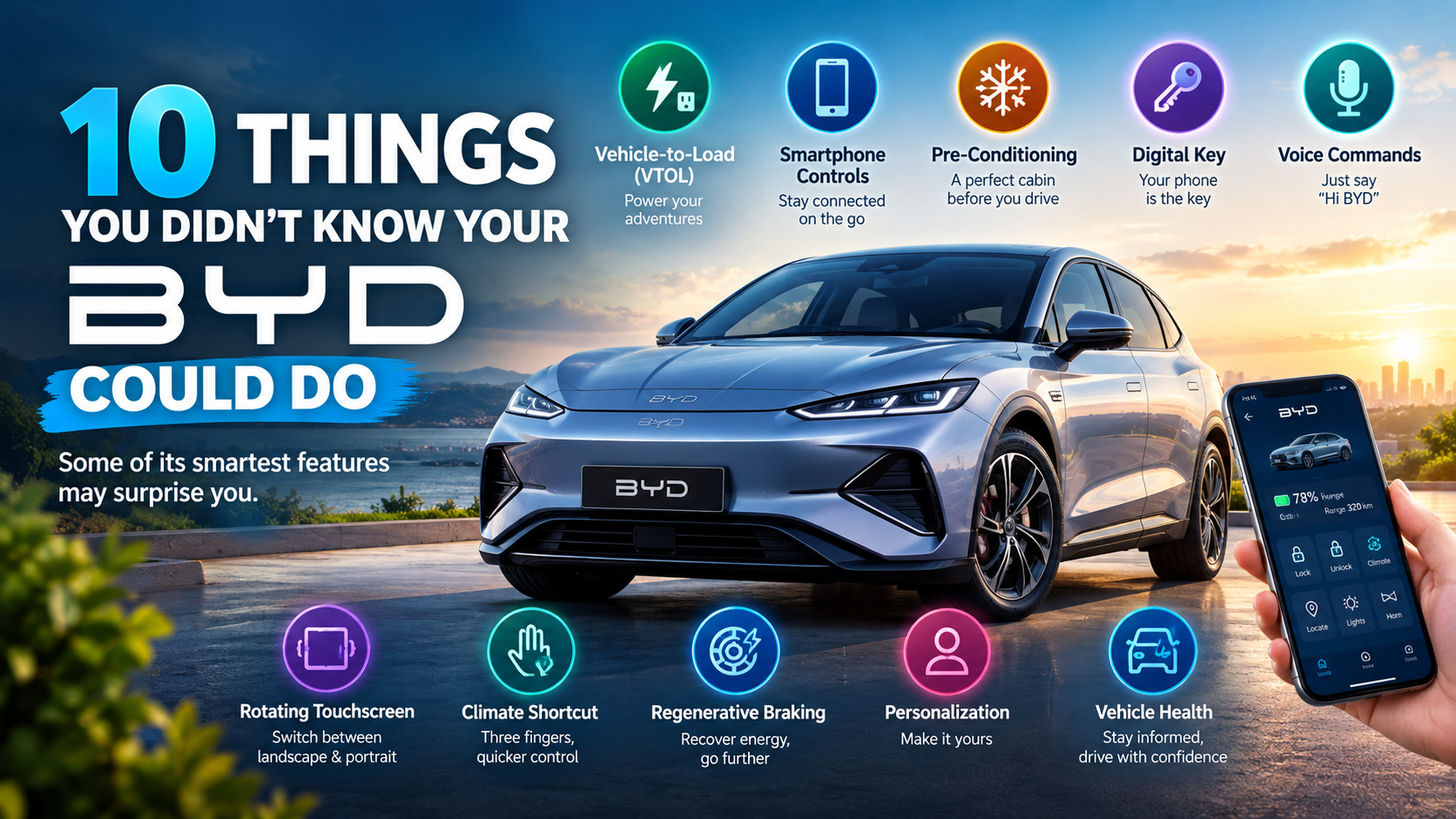
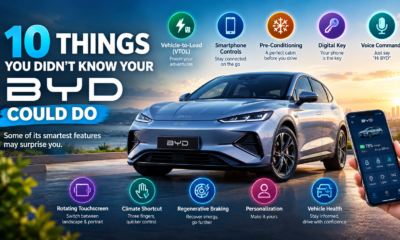
There’s a lot more to a modern BYD than simply getting from one place to another. In this article, we look at useful technology that can make daily driving easier, improve comfort, help with energy use, and give drivers more control over their vehicle. Some features may be easy to overlook.
Could Your BYD Be More Useful Than You Realize?
Modern vehicles are becoming more like connected devices on wheels. Drivers often learn the basic controls, charging process, and infotainment system when they first get the vehicle. But that does not always mean they discover every feature built into it.
BYD vehicles include a range of technology designed around convenience, comfort, connectivity, and energy efficiency. Some functions can be accessed from the vehicle itself, while others can be controlled through a smartphone. For owners who have only been using the basic features, there may be useful tools waiting to be discovered.
The important point is that feature availability can vary between BYD models. However, the source highlights several functions that are available across much of the range or on compatible models. Understanding what your particular vehicle can do can help you get more value from the technology already available to you.
Hidden BYD Features Most Owners Discover TOO Late!
Can Your BYD Power Electrical Devices?
One of the most interesting features highlighted in the article is Vehicle-to-Load, or VTOL. This technology allows the vehicle’s battery to provide power to external electrical devices through an adapter.
That can turn the vehicle into a useful portable power source when appropriate equipment is available. For example, the source describes situations such as making coffee while camping, charging an electric bike, powering outdoor lighting, or operating a laptop while working remotely.
This is particularly interesting because an electric vehicle is normally thought of as something that consumes electricity rather than provides it. With VTOL, the vehicle can also become part of the power solution for certain activities.
For drivers who enjoy outdoor trips or spending time away from conventional electrical outlets, this can be a practical feature. Instead of viewing the vehicle only as transportation, owners can make use of its battery in another way.
What Can You Control From Your Smartphone?
The BYD App can provide drivers with more information and control than simply checking the vehicle’s battery level. According to the source, compatible functions include remotely locking and unlocking the vehicle, checking charging status, monitoring tyre pressures, locating the vehicle, and activating the lights or horn.
These functions can be useful in everyday situations. For example, if you are unsure whether you locked the vehicle after walking away, checking through the app can provide an additional way to confirm its status. The ability to locate the vehicle can also be useful when you have forgotten where you parked.
The app can also help drivers stay connected with the vehicle without being physically inside it. Instead of needing to return to the car to check certain information, compatible vehicle data can be accessed through the smartphone.
For owners who have not explored the BYD App beyond basic functions, it may be worth looking at the features available for their specific vehicle.
Can You Prepare the Cabin Before You Drive?
Getting into a vehicle that is extremely cold or hot can make the first few minutes of a journey uncomfortable. The source explains that the BYD App can allow compatible vehicles to activate climate control remotely before the driver sets off.
This means the cabin can be prepared before entering the vehicle. Depending on the model, drivers may also be able to adjust seat heating or ventilation settings in advance.
This type of feature is especially useful because comfort can be addressed before the journey actually begins. Instead of starting the drive and then waiting for the cabin to reach a comfortable temperature, the vehicle can be prepared beforehand through the available controls.
For owners who already use the smartphone application, climate control may be one of the more useful functions to explore. As with other features mentioned in the article, the exact functions available depend on the BYD model and its supported technology.
Can Your Phone Work Like a Car Key?
Some newer BYD models can allow a compatible smartphone to function as a digital key. The source explains that this can work through Apple Wallet or Android Wallet integration on supported vehicles.
The idea is straightforward: instead of relying only on a traditional physical key, the driver’s phone can provide vehicle access and, on compatible models, allow the vehicle to be started.
There can also be a practical benefit when more than one person needs access to the vehicle. The source notes that digital-key functionality can make sharing access with family members simpler.
For drivers who already depend heavily on their smartphones, having the phone serve another role in the vehicle can be convenient. However, because this function is limited to compatible models and supported phones, owners should check whether their particular BYD supports the feature.
What Can “Hi BYD” Actually Do?
Voice control can reduce the need to search through touchscreen menus while driving. BYD’s intelligent voice assistant can be activated by saying “Hi BYD,” according to the source.
The assistant can perform several functions, including adjusting the temperature, setting a navigation destination, making a phone call, opening windows, and controlling media playback.
This can be particularly useful when a driver wants to perform a simple vehicle function without manually navigating through menus. Voice commands can provide another way to interact with the vehicle’s technology while keeping attention focused on driving.
The feature also demonstrates how vehicle controls are moving beyond traditional buttons and switches. Instead of physically finding a particular setting, compatible BYD systems can respond to spoken commands.
Owners who have never tried the voice assistant may be surprised by how many everyday functions it can control.
Why Does the BYD Touchscreen Rotate?
The electrically rotating touchscreen is one of the most distinctive technology features highlighted in the article. On many BYD models, the screen can switch between landscape and portrait orientation with a button press.
Different screen orientations can be useful for different tasks. The source notes that landscape mode can work well for navigation and driving information, while portrait mode can make some menus and applications easier to use.
Beyond its practical purpose, the rotating screen is also a noticeable feature for passengers. It gives the interior a different feel from vehicles that use a permanently fixed display.
Drivers who normally leave the screen in one position may want to explore whether changing its orientation makes certain tasks easier. It is another example of technology that can be overlooked simply because owners become accustomed to the default setup.
Is There a Faster Way to Adjust the Climate?
Touchscreen menus can sometimes require several steps to reach a particular vehicle function. The source highlights a shortcut available on compatible BYD touchscreens that uses a three-finger swipe to adjust the climate-control temperature.
Instead of opening additional menus, the driver can use the touchscreen gesture to make the adjustment more quickly. Small shortcuts like this can make a difference during everyday driving because they reduce the number of steps needed for a common task.
This is the type of feature that may not be immediately obvious to a new owner. Someone can use the vehicle for months while relying on the standard controls without discovering alternative touchscreen gestures.
For owners who like finding hidden shortcuts in their technology, this is one worth checking on a compatible BYD. The availability of the gesture depends on the vehicle’s system and model.
How Does Your BYD Recover Energy While Driving?
Regenerative braking is another important part of the technology described in the source. When the vehicle slows down or brakes gently, the system can capture energy that would otherwise be lost and convert it into electricity for the battery.
This process is particularly relevant to electric-vehicle efficiency. Instead of allowing all of that energy to disappear as heat through traditional braking processes, regenerative braking allows some of it to be recovered and returned to the battery.
The source also notes that regenerative braking can help extend driving range and may reduce wear on traditional brake components over time.
For drivers moving from a conventional vehicle to an electric vehicle, regenerative braking can change the way the vehicle feels during deceleration. Understanding how the system works can help owners better appreciate one of the technologies operating in the background during everyday driving.
Can You Personalize Your BYD and Monitor Its Condition?
The BYD infotainment system can be personalized in a way that is similar to customizing a smartphone. According to the source, drivers can rearrange widgets, move shortcuts, and organize frequently used functions.
That means the home screen does not necessarily have to remain arranged around the manufacturer’s default setup. Drivers who regularly use navigation, media controls, energy information, or vehicle settings can organize the available shortcuts around their own preferences.
The vehicle can also provide information about its current condition. Depending on the available systems, drivers can monitor battery charge, remaining range, tyre pressures, door and window status, and other vehicle information.
Having this information available can make it easier to check the vehicle before a journey. Instead of discovering a problem only after getting on the road, drivers can review available vehicle information beforehand and stay more aware of the car’s condition.
What Should BYD Owners Remember About These Features?
The biggest takeaway is that buying a modern vehicle is only the beginning. Many of the useful functions may not be obvious during normal driving, particularly when owners concentrate on the basic controls.
BYD’s technology includes features that cover several areas of ownership, from convenience and comfort to connectivity and energy management. Smartphone controls can provide remote access to certain vehicle functions, while VTOL can allow compatible vehicles to supply power to external devices. Voice commands and touchscreen shortcuts can make interaction with the vehicle easier.
At the same time, drivers should remember that not every BYD has exactly the same equipment or functionality. The source specifically refers to features available across much of the range and to functions available on compatible or newer models.
For that reason, owners should check which functions are supported by their specific vehicle. Once those features are understood, a BYD can offer considerably more technology than a driver may initially realize.
Conclusion
A BYD can offer much more than basic transportation. Features such as Vehicle-to-Load, smartphone controls, remote climate functions, digital keys, voice commands, rotating touchscreens, regenerative braking, personalization, and vehicle-health information can add useful capabilities to everyday driving.
The most important step is simply knowing what your particular vehicle supports. Technology is most useful when drivers understand how to use it.
If you own a BYD, which feature would you be most interested in trying? 🚗⚡ Share your experience and let other drivers know which feature you use most.
FAQ
Can BYD features change between different vehicles?
Yes. The source makes clear that some functions are available across much of the BYD range, while others are available only on compatible or newer models. Owners should therefore check the features supported by their specific vehicle rather than assuming every BYD has identical equipment.
Does every BYD owner need to use the smartphone app?
No requirement to use the app is stated in the source. However, the BYD App can provide access to several connected functions, including vehicle information and certain remote controls. Owners who have access to the app may want to explore the functions supported by their vehicle.
Are all smartphone digital keys supported by every phone?
The source describes digital-key functionality for compatible smartphones and newer BYD models through Apple Wallet or Android Wallet integration. This means compatibility matters, so owners should verify whether their specific vehicle and phone support the function.
Can the vehicle’s touchscreen always be rotated?
The source says the electrically rotating touchscreen is available on many BYD models. Therefore, it should not be assumed that every BYD vehicle has this feature. Owners should check their model’s equipment and available controls.
Where can a new BYD owner learn more about the vehicle?
The source recommends contacting a BYD South West showroom, where the team can explain the technology available on the owner’s specific model. Learning directly about the vehicle can help owners understand which features are available and how to use them.
10 Hidden Problems Electric vehicles (EVs) Owners Face

What really happen when an EV reaches 0% Battery ?

15 Things Automated Car Features You May Not Know Your Vehicle

10 THINGS YOU DIDN’T KNOW YOUR BYD COULD DO

10 Warning Signs Your Car Engine Is About to Fail

10 Hidden Problems Electric vehicles (EVs) Owners Face
10 THINGS YOU DIDN’T KNOW YOUR BYD COULD DO
15 Things Automated Car Features You May Not Know Your Vehicle
What really happen when an EV reaches 0% Battery ?
What really happen when an EV reaches 0% Battery ?
When an electric vehicle display reaches 0%, the car is near the end of its usable driving range, but that...
15 Things Automated Car Features You May Not Know Your Vehicle
Modern vehicles can do far more than start, stop, and move from one place to another. In this article, we...
10 THINGS YOU DIDN’T KNOW YOUR BYD COULD DO
There’s a lot more to a modern BYD than simply getting from one place to another. In this article, we...

10 Warning Signs Your Car Engine Is About to Fail
Car engine is the heart of your vehicle. When it starts to fail, it often gives warning signs before a...

10 Hidden Problems Electric vehicles (EVs) Owners Face
Electric vehicles (EVs) are becoming more popular because they are quiet, efficient, and better for the environment. However, EV ownership...

Understanding Your Dashboard: A Guide to Common Warning Lights
Introduction to Common Warning Lights In the realm of automobile maintenance, understanding your vehicle’s warning lights is crucial. These illuminated...

Stop! How to Know When It’s Time to Replace Your Brake Pads
Driving is an everyday activity for many people, but it can also be a source of anxiety especially when it...

Common Electrical Issues Plaguing car Owners
When it comes to cars, electrical problems often leave owners scratching their heads. The Chevy Malibu, a popular midsize sedan...

What Every Car Buyer Should Know
When buying a used car, understanding its history is crucial. One way to do that is by checking its Carfax...

Essential Tips for Maintaining Your Car’s A/C System
Car air conditioning systems are essential for comfort, especially during hot summer months. Understanding how to maintain this vital component...
-
 Vehicle Maintenance2 years ago
Why is my Kia Sorento making a rattling noise when I accelerate?
-

 Vehicle Maintenance2 years ago
How to Replace the Fuel Pump on a 2000 Silverado: A Step-by-Step Guide
-
 Vehicle Maintenance2 years ago
How to Program a 2008 Toyota Highlander Key Fob: A Step-by-Step Guide
-
 Vehicle Maintenance2 years ago
Common Issues with the Chevrolet S10 2.2 Engine: What Owners Need to Know
-

 Vehicle Maintenance2 years ago
Is the BJ’s Wholesale Auto Buying Program Worth It?
-
 Vehicle Maintenance2 years ago
Why won’t the Yukon fan shut off? Common causes and solutions explained
-
 Vehicle Maintenance2 years ago
Understanding the Hyundai vehicle Lease Early Termination Fee: What You Need to Know
-
 Vehicle Maintenance2 years ago
Why is my Toyota Camry’s fuel gauge stuck on full?